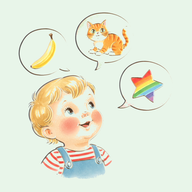
Do Picture Word Apps Help Toddlers Learn to Talk
Picture word apps can help toddlers build early vocabulary, provided they are used alongside an adult who actively talks through the images. On their own, digital apps cannot replace human conversation, as young children acquire speech through social engagement rather than passive viewing. When integrated into shared daily routines, a clear picture app gives toddlers a structured reference point for linking spoken words to physical items in their environment.
How toddlers link visual prompts to speech sounds
Toddlers acquire spoken language by mapping distinct auditory patterns onto concrete visual representations. A clear image paired with a recorded spoken word offers a stable visual and auditory reference point. This helps a child identify the core characteristics of an object, such as associating the sound of the word bird with an image of a feathered animal. When exposed to clean visual cues, young children learn to categorise objects by their defining shapes and features.
However, toddlers do not automatically transfer two-dimensional screen images to three-dimensional objects in their physical surroundings. A picture of a spoon on a glass screen remains abstract until a caregiver connects it to the actual spoon used at mealtimes. The app provides the initial visual prompt, but the real-world connection builds functional vocabulary that the child can use during everyday conversations.
The importance of adult interaction and joint attention
Language acquisition relies heavily on joint attention, which occurs when a child and an adult focus on the same object simultaneously and share the experience through sight, gesture, or speech. When a toddler interacts with a screen alone, the interaction tends to become a rapid series of physical taps. The audio plays, but without social context and eye contact, the spoken words risk becoming ambient background sound rather than meaningful communication.
To turn screen viewing into active language development, sit beside your toddler during app use and comment on what appears. When your child taps an illustration, react immediately by repeating the name clearly, expanding on the concept, or asking a direct question. If the app plays the word shoe, you can say, Yes, that is a shoe. Where are your shoes? This back-and-forth exchange models natural conversation and reinforces word meaning.
Interface design and speech acquisition
Screen layout and audio presentation play a major role in how well a toddler processes new language. Interfaces packed with visual effects, bright animations, background music, or pop-up menus distract young children from the core relationship between the image and the spoken word. The toddler's brain spends processing energy on decorative movement rather than focusing on speech sounds and visual identification.
Calm, uncomplicated layouts allow toddlers to direct their mental focus to the essential details of an image. Uncluttered illustrations set against neutral backgrounds help children recognise key visual shapes without cognitive overload. Audio quality is equally critical for sound development. Clear human voice recordings allow toddlers to hear natural pitch, cadence, and mouth placement, which aids sound imitation far better than synthetic or heavily compressed audio.
For example, Language Board relies on a quiet interface featuring 210 hand-illustrated everyday items, each paired with an individual recorded pronunciation, keeping the visual and auditory focus entirely on the target word.
Practical steps for using picture word apps
Using a vocabulary app effectively requires treating it as a conversation starter rather than a digital babysitter. Short, regular interactions yield far better speech outcomes than prolonged, unsupervised screen sessions.
- Keep sessions short, aiming for five to ten minutes at a time to match a toddler's natural attention span and prevent mental fatigue.
- Repeat the spoken word in your own voice immediately after the app audio plays, using clear, unhurried pronunciation and direct eye contact.
- Connect the screen image to tangible objects in your home, such as pointing to a real apple on the kitchen table right after seeing one on screen.
- Pause between taps to give your toddler space to vocalise, gesture, or attempt to imitate the sound without rushing immediately to the next image.
Mistakes that hinder toddler speech development
A common mistake is correcting a child's pronunciation too aggressively during vocabulary sessions. When a toddler attempts a word and misses a sound, such as saying gat for cat, demanding that they repeat it correctly can build frustration and lower their willingness to attempt new words. Instead, validate their attempt and respond by repeating the correct word naturally within a complete sentence, such as, Yes, that is a big cat.
Another issue is choosing apps with complex reward mechanics, such as flashing stars, score counters, cheerful sound effects, or unlock animations. These features condition children to pursue instant digital feedback rather than meaningful verbal engagement. Simple picture-and-sound tools avoid gamification entirely, keeping the toddler's attention focused on the auditory structure of human language.